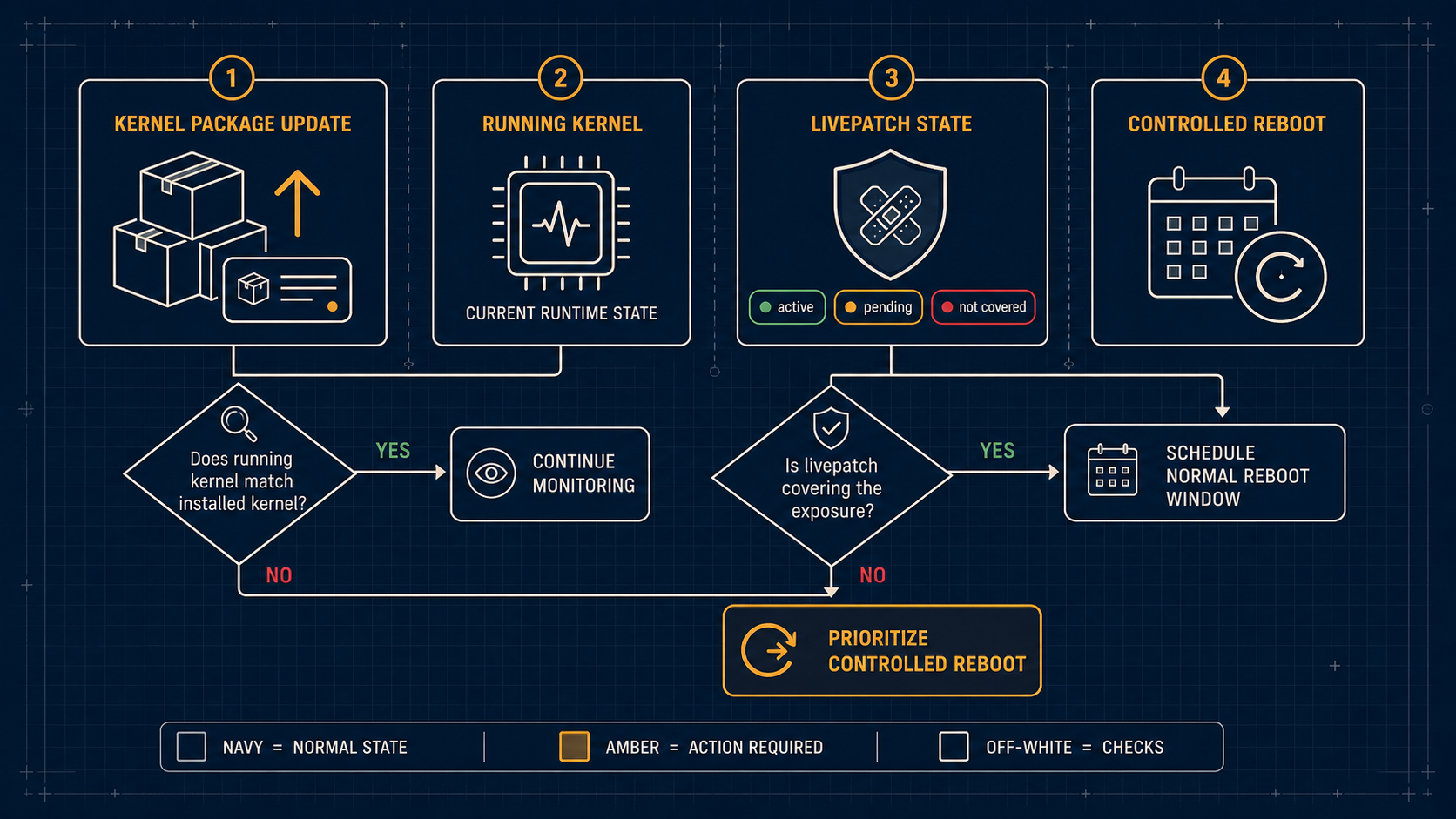
A kernel security update normally installs a new kernel package, but the running system continues using the old kernel until a reboot—or an applicable livepatch operation—takes effect. Decide from the Ubuntu notice, the running kernel state, and your recovery plan.
When is a reboot the right answer?
Schedule a reboot when the installed security update replaces the kernel that is currently running and livepatch does not cover the relevant fix. Do not treat “packages are up to date” as proof that the running kernel is current.
What should operators review?
- The exact Ubuntu release and kernel flavor.
- The advisory’s fixed package version.
- Whether the host uses Ubuntu Livepatch and whether the specific fix is covered.
needrestartor your platform’s maintenance signal.- Console or provider recovery access before rebooting a remote VPS.
The correct timing is an operational decision, not a universal “reboot immediately” rule. High-exposure systems and internet-facing workloads deserve a shorter window; fragile systems deserve a tested recovery path first.
What does Livepatch change?
Livepatch can reduce some kernel-maintenance reboots, but it does not make every kernel update reboot-free. Confirm coverage and status in Ubuntu’s current documentation and advisory material before relying on it.
For the broader patch flow, see Ubuntu unattended upgrades, Livepatch, and reboots and a simple public-service inventory.