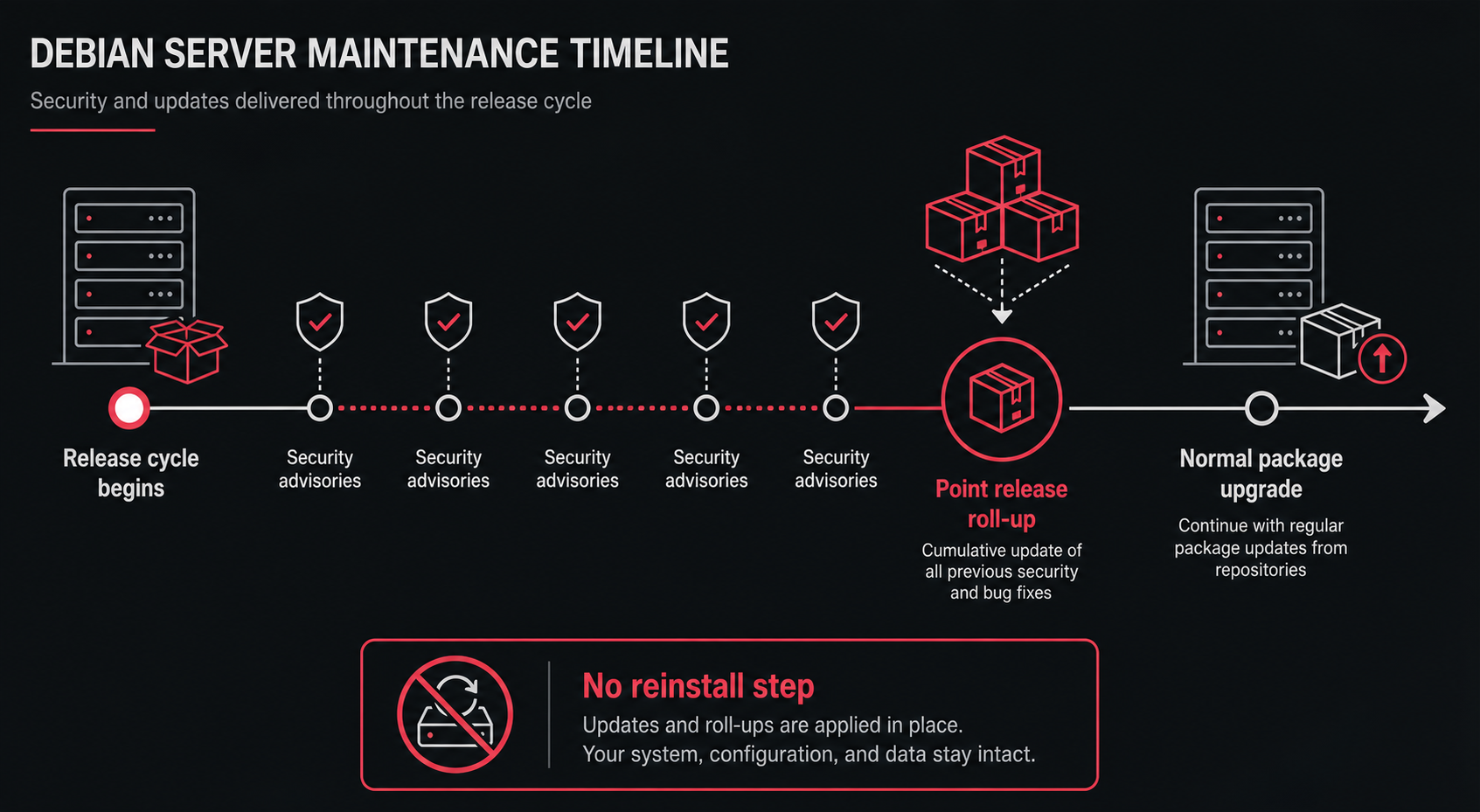
A Debian 13 point release is not a new operating system you need to reinstall. It is a roll-up of security fixes and important bug fixes for the stable release, and an already-updated server may have many of those fixes before the point-release announcement appears.
For small-server operators, the right response is boring: keep normal package updates healthy, read the announcement for packages you actually run, and use the news as a maintenance reminder.
What is a Debian point release?
A Debian point release updates the stable distribution with corrections for security issues and serious problems. Debian’s 13.5 announcement says the point release “does not constitute a new version of Debian 13” and that there is no need to throw away old installation media.
That wording matters. A point release is not the same as moving from Debian 12 to Debian 13. It is a refresh inside the Debian 13 stable line.
New installation images get the rolled-up packages. Existing servers should use normal package management with an up-to-date Debian mirror.
Do updated servers already have the fixes?
Often, yes. Debian notes that users who frequently install updates from security.debian.org will not have to update many packages because most such updates are included in the point release.
That does not mean you ignore the announcement. It means you should interpret it correctly:
- security advisories may have shipped earlier;
- the point release collects those changes for stable media and mirrors;
- your server state depends on whether updates were actually installed;
- package-specific risk depends on what you run.
A web server with Apache deserves a different review than a private database host if the point release includes Apache fixes.
What should a Debian VPS owner do after 13.5?
Use the announcement as a maintenance trigger, not an emergency reinstall plan. The minimum useful review is to confirm that routine updates work and that critical services are still understood.
A practical checklist:
- Confirm the server is Debian 13 “trixie,” not Debian 12 “bookworm.”
- Apply normal package updates through your usual maintenance process.
- Review the point-release announcement for packages you run publicly.
- Check whether a reboot is pending under your normal policy.
- Smoke-test the services that matter after the maintenance window.
- Record what changed in your server notes.
If this sounds too basic, good. Most small-server incidents come from neglected basics, not from failing to memorize every package in a point-release changelog.
What should you not do?
Do not reinstall the server just because Debian published a point release. That creates avoidable outage risk and may destroy local state if backups are weak.
Do not perform a Debian 12-to-13 upgrade casually under the pressure of a point-release headline. Major release upgrades need their own readiness checklist, backups, console access, and third-party repository review.
Do not assume “stable” means “never patch.” Debian stable means the release line is conservative; it does not mean security fixes stop arriving.
How this fits a small-server maintenance model
Point-release news should feed a simple maintenance rhythm. Security advisories are handled during the cycle; point releases remind you to check whether your update process is healthy.
For a small business server, pair Debian update hygiene with broader operational review:
- know which services are public;
- keep backups separate from the server;
- maintain a recovery path that does not depend on the same SSH session;
- schedule reboot windows before they become urgent;
- document package sources and third-party repositories.
The same thinking applies to Ubuntu patching: unattended upgrades, Livepatch, and reboot windows solve different parts of maintenance.
FAQ
Is Debian 13.5 a new Debian version?
No. Debian describes it as an update to Debian 13 stable, not a new version of Debian 13.
Do I need new installation media?
Only for fresh installs. Existing servers should use normal package upgrades from Debian mirrors.
Should I reboot after a point release?
Maybe. The point release itself does not answer that. Your server may need a reboot because of kernel, library, or service updates. Use your normal maintenance checks and smoke tests.
Sources
- Debian News: Updated Debian 13: 13.5 released
- Debian stable release information
- Debian security information