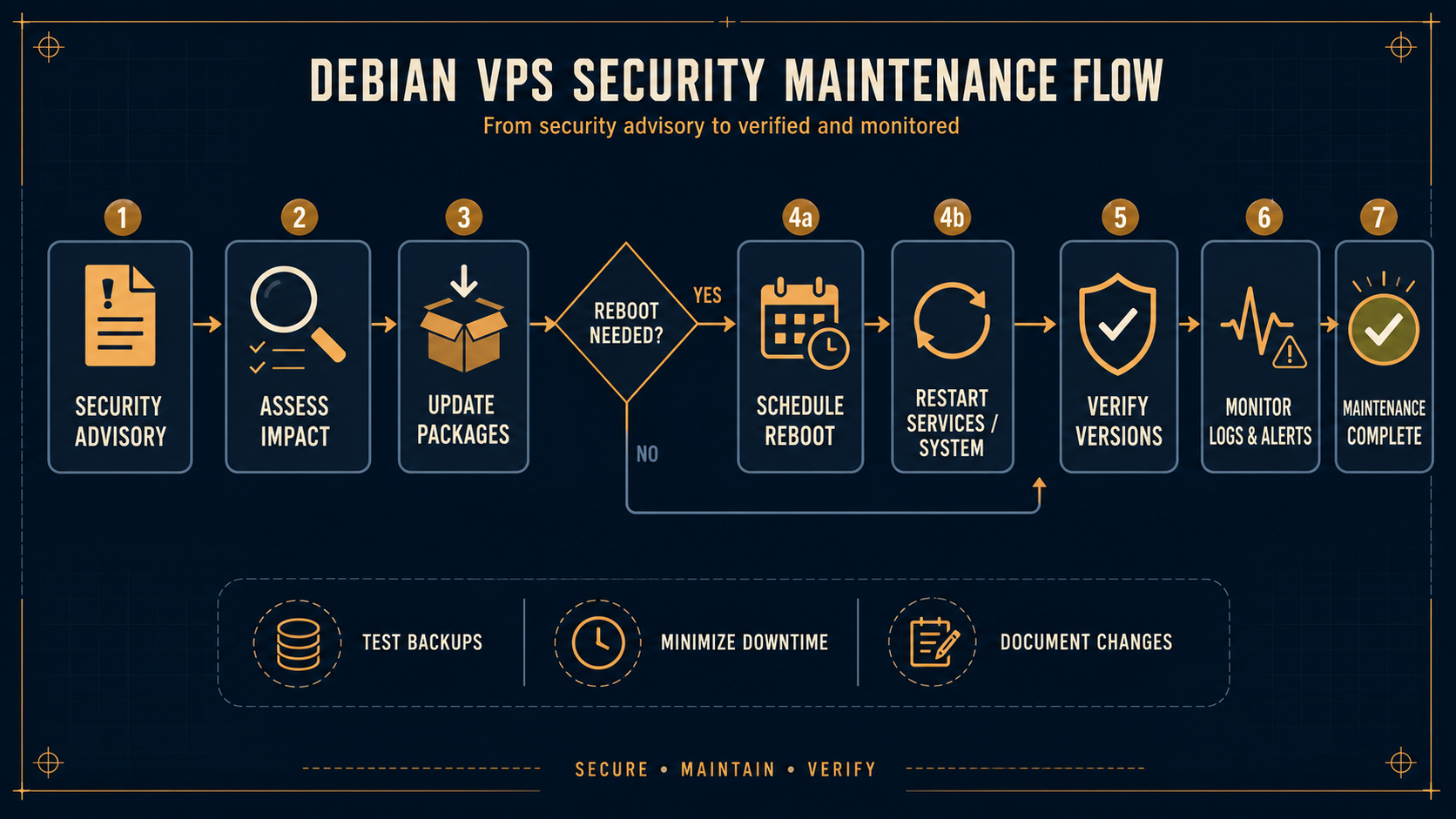
A Debian kernel security update should trigger structured triage, not a blind reboot. Confirm the advisory applies to your release, update from trusted repositories, decide whether the running kernel needs replacing, and verify access after maintenance.
What should a VPS operator check first?
Start with four facts: Debian release, installed kernel packages, running kernel, and whether the host is reachable through a recovery path. The advisory is a starting point; your package state determines the action.
- Read the matching Debian Security Advisory and Security Tracker entry.
- Confirm the host’s release and repository configuration.
- Check whether a fixed kernel package is available.
- Schedule a reboot only when the running kernel is affected or the package tooling indicates one is required.
Why should you avoid an immediate reboot?
A reboot is normal maintenance, but it is also an availability event. Before it, confirm console or provider recovery access, backups, the expected boot kernel, and the service owner’s maintenance window. Recover broken SSH access on a VPS before you need it.
What does post-update verification include?
Verify the running kernel, SSH access, expected listeners, and important application health. Compare the result with your small VPS exposure audit rather than assuming a successful SSH login proves the host is healthy.
Bottom line
Treat DSA-6381-1 and similar advisories as a decision workflow: identify, update, reboot when justified, and verify. Do not infer package applicability or fixed versions from a headline; check Debian’s current advisory and tracker.
Sources
- Debian Security Information: https://www.debian.org/security
- Debian Security Tracker: https://security-tracker.debian.org/